



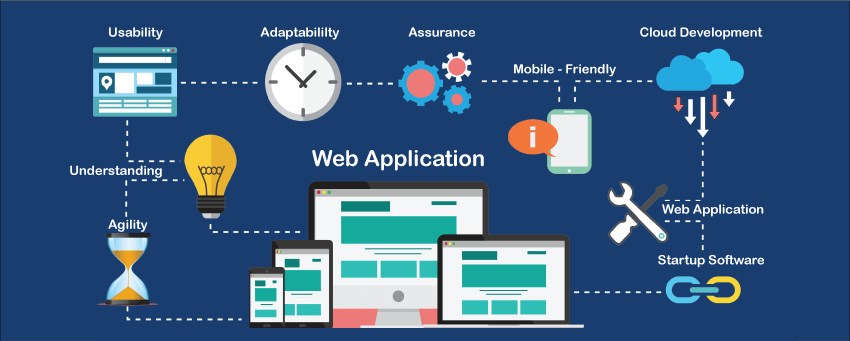
A web application is a software program that runs on a remote server and is accessed through a web browser. Unlike traditional desktop software, it doesn’t require installation on a local device. Users interact with it via the internet, making it highly accessible and platform-independent.
Web applications are widely used for daily tasks such as online shopping, banking, social networking, business management, and cloud-based productivity.
How Web Applications Work
The Core Components
A typical web application consists of several key layers that work together to process user requests:
-
Client-Side (Frontend): The interface users interact with, built with HTML, CSS, and JavaScript.
-
Server-Side (Backend): Handles business logic, database operations, and communication between the client and server.
-
Database Layer: Stores and manages data used by the application.
-
Web Server: Receives requests from clients and routes them to the backend application.
-
Application Server: Executes backend code and returns responses to the frontend.
The Request–Response Cycle
-
A user sends a request from the browser.
-
The web server processes the request.
-
The backend executes necessary logic.
-
Data is retrieved, updated, or processed via the database.
-
A response is sent back to the client-side interface.
This seamless cycle allows users to interact dynamically with the application.
Types of Web Applications
Static Web Applications
These deliver fixed content to users, offering minimal interactivity. They are quick to load but limited in functionality.
Dynamic Web Applications
Dynamic applications generate content in real time based on user interactions, making them suitable for blogs, e-commerce, and interactive platforms.
Single-Page Applications (SPA)
SPAs load content dynamically without fully refreshing the page. Examples include email clients and social media dashboards.
Multi-Page Applications (MPA)
MPAs refresh the page each time new data is needed, commonly used for large enterprise-level platforms.
Progressive Web Apps (PWA)
PWAs behave like native mobile apps, offering features like offline access, push notifications, and installation prompts.
E-commerce Web Applications
Designed specifically for selling products or services online, integrating payment gateways, inventory management, and user accounts.
Benefits of Web Applications
Accessible Anywhere
Web applications run in browsers, allowing users to access them from any location or device—desktop, tablet, or mobile.
Platform Independence
No need for separate versions for Windows, iOS, or Android, reducing development costs and maintenance efforts.
Easy Deployment and Updates
Changes made on the server instantly reflect for all users without requiring manual upgrades.
Enhanced Security
Centralized data and controlled backend access help minimize threats and vulnerabilities.
Scalable and Versatile
Web applications can handle increasing user demand with cloud infrastructure and load balancing.
Key Technologies Used in Web Application Development
Frontend Technologies
-
HTML5
-
CSS3
-
JavaScript
-
Frameworks: React, Angular, Vue.js
Backend Technologies
-
Programming Languages: Python, PHP, Java, Ruby, Node.js
-
Frameworks: Django, Laravel, Spring Boot, Express.js
Databases
-
SQL Databases: MySQL, PostgreSQL
-
NoSQL Databases: MongoDB, Redis
Infrastructure & DevOps
-
Cloud Providers: AWS, Azure, Google Cloud
-
Containerization: Docker, Kubernetes
-
Version Control: Git
Common Use Cases of Web Applications
Business Management Tools
CRM, ERP, accounting software, and project management tools help companies streamline operations.
Online Marketplaces
Platforms like auctions, e-commerce, and classifieds connect buyers and sellers seamlessly.
Social Platforms
Networking applications enable communication, sharing, and community engagement.
Educational Portals
E-learning platforms allow students to access courses, assessments, and resources online.
Banking & Financial Services
Secure banking applications offer transactions, statements, and financial tools.
Best Practices for Building a Web Application
Prioritize User Experience (UX)
Ensure your application is easy to navigate, visually appealing, and mobile-responsive.
Maintain Strong Security
Implement encryption, authentication, authorization, and regular security audits.
Optimize Performance
Reduce load times, compress assets, and implement caching strategies.
Ensure Scalability
Build architecture that supports future growth and increased traffic.
Test Thoroughly
Use manual and automated testing to eliminate bugs and ensure smooth functionality.
Frequently Asked Questions (FAQ)
1. What’s the difference between a website and a web application?
A website generally provides static informational content, while a web application offers interactive features requiring user input and backend processing.
2. Can a web application work offline?
Some modern web applications, especially PWAs, offer offline support using caching and service workers.
3. How long does it take to develop a web application?
Development time varies by complexity, ranging from a few weeks for simple apps to several months for enterprise-level systems.
4. What programming languages are ideal for web application development?
Popular choices include JavaScript, Python, PHP, Java, Ruby, and C# depending on project needs.
5. How much does it cost to build a web application?
Costs depend on features, technologies, and development team rates. Simple apps may cost a few thousand dollars, while advanced platforms can reach higher budgets.
6. Are web applications secure for business use?
Yes, when built with proper security practices such as encryption, authentication, and regular monitoring.
7. Do web applications require maintenance?
Ongoing maintenance is essential to update features, fix bugs, improve security, and optimize performance.